You will receive a login with a username and a password. Log in at meyou.dk/forhandler
Redemption
Redeem vouchers via the Daily Media app, available for download at: dailymedia.dk/app. You can find the redemption guide here or on your online partner profile
Questions
If you have any questions regarding redemption, please contact our support at: partner@dailymedia.dk
Phone: +45 89 87 37 37
Phone hours: Monday – Friday, 10:00 AM – 12:00 PM
App Redemption Guide
Find the Daily Media Retailer App here:
Find the Daily Media Retailer App here:
Login
Download our App and log in (login credentials have been sent to the contact person's email; please check the spam folder if necessary)
Redeem
You can redeem in the following two ways:
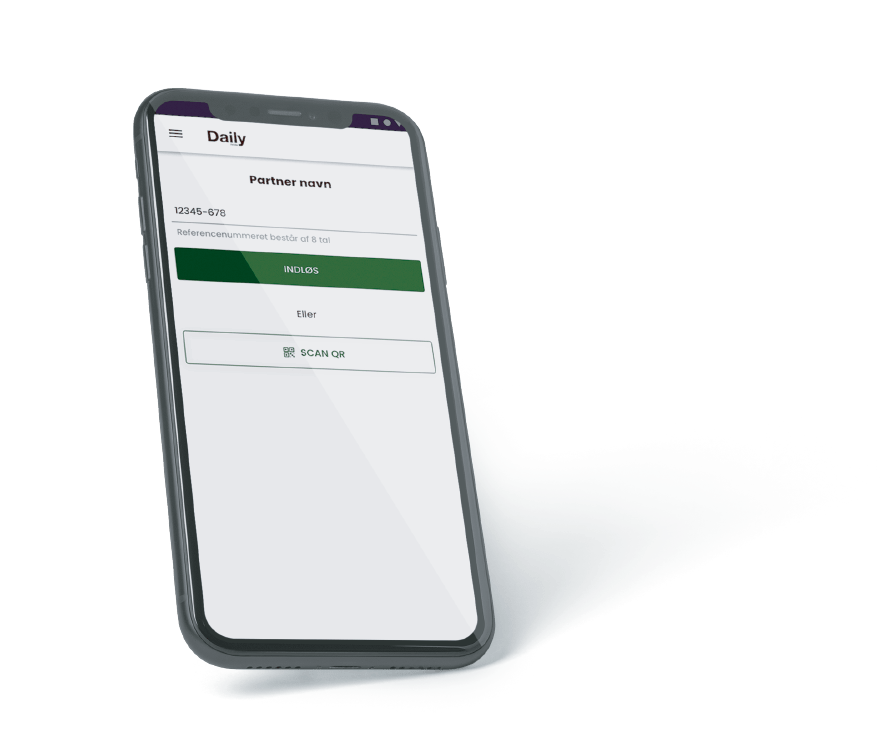
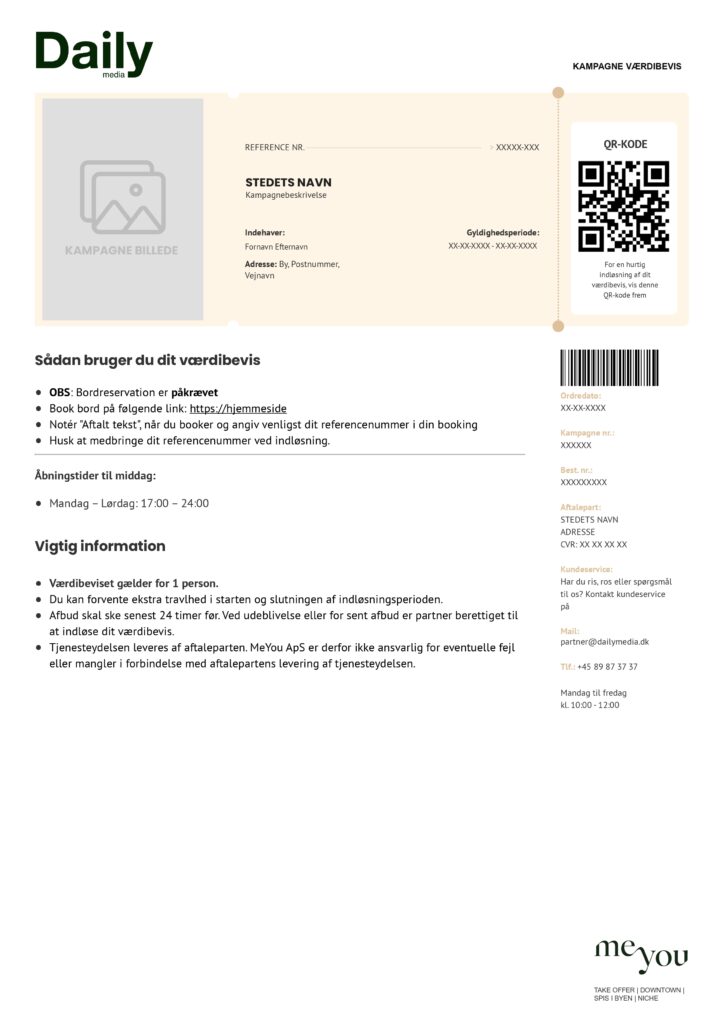
Redeem button: Enter the reference number (8-digit code) and click "indløs"
QR code: Scan the QR code by clicking "SCAN QR"
PSST! In the app menu, you can find an overview of all your campaigns and payouts
PSST! In the app menu, you can find an overview of all your campaigns and payouts
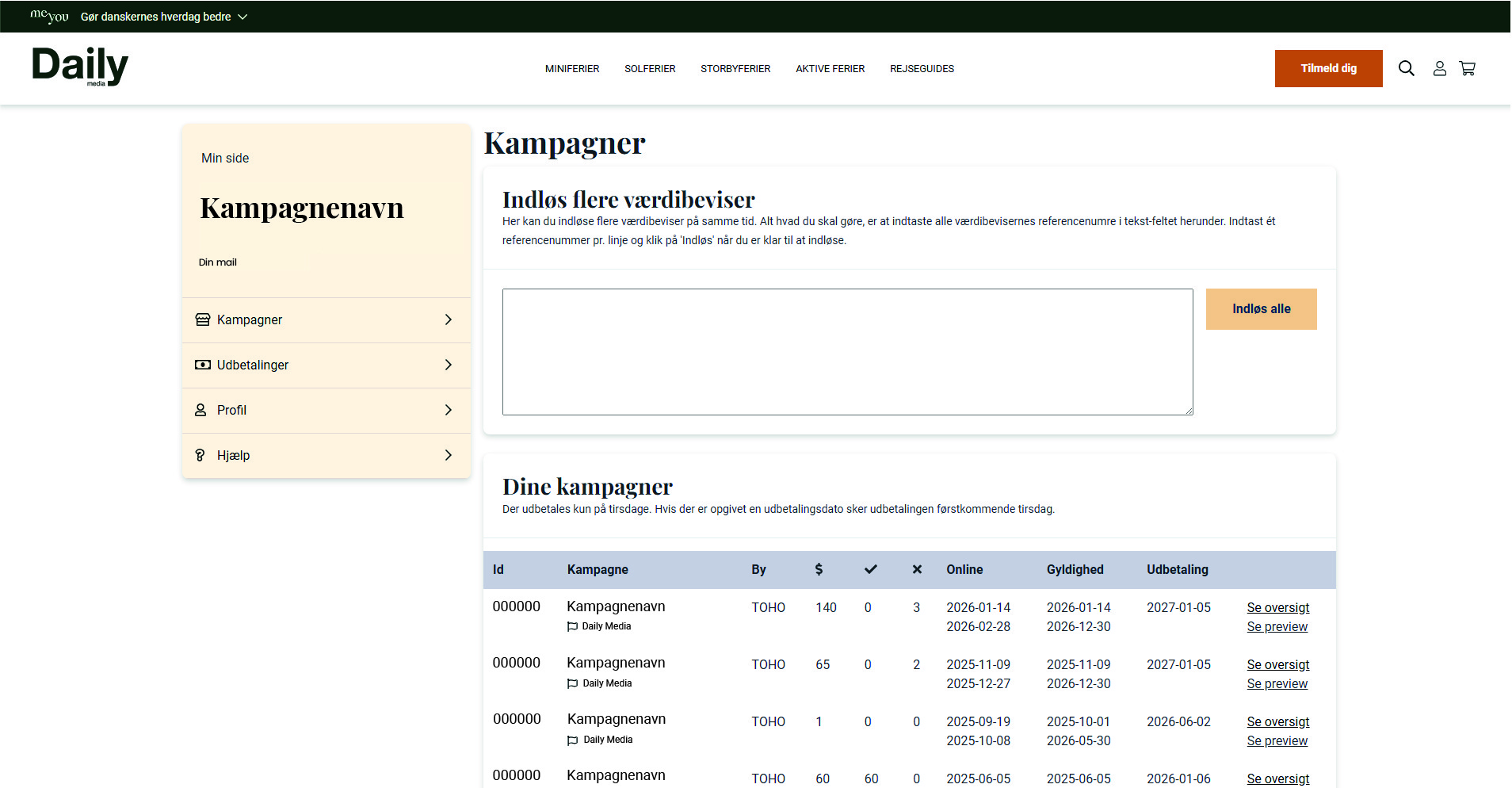
First, make sure you are in the 'Campaigns' section of the menu
Redemption
Redeem multiple vouchers at the same time. Enter all the voucher reference numbers in the text field. Enter one reference number per line. Then, click "Indløs alle"
See overview
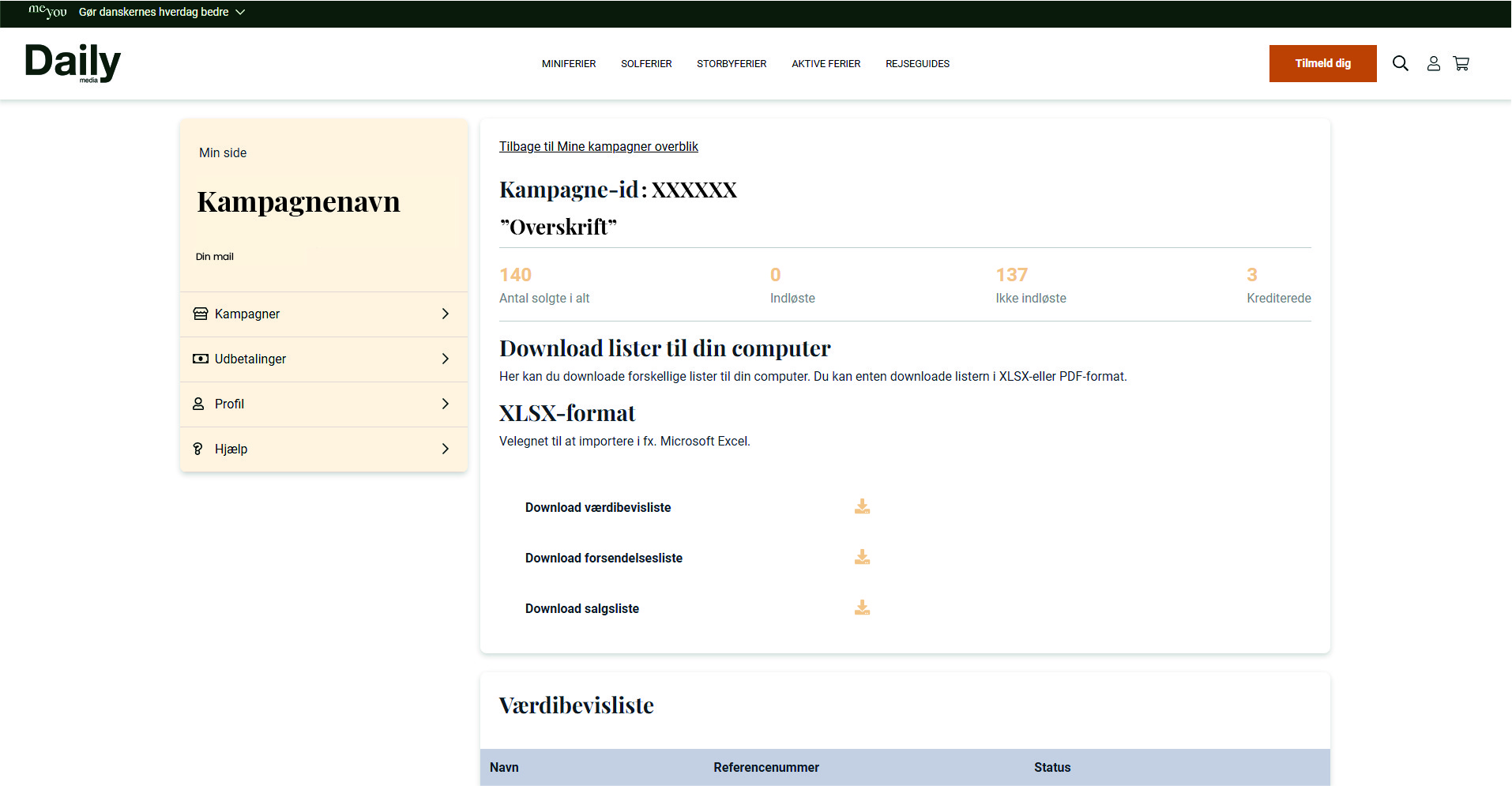
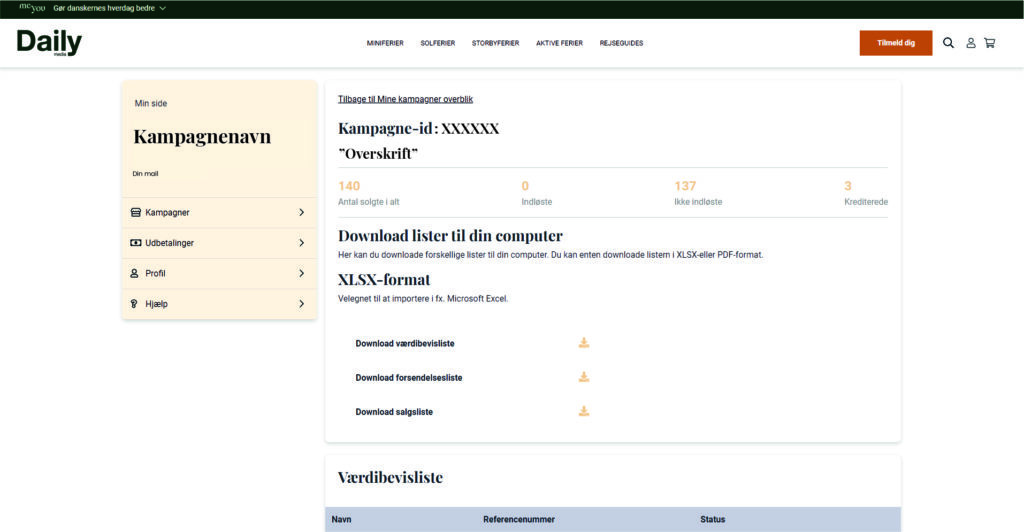
Under 'Mine kampagner overblik', click 'Se oversigt' for the specific campaign you wish to download lists for
Download lists here
Download lists to your computer
Here, you can download your vouchers and shipping lists in XLSX or PDF format
PSST! Under "Mine kampagner" you can always find information about your Daily Media campaign. Simply use your personal login.
Forgot your login? Contact your support:
partner@dailymedia.dk
PSST! Under "Mine kampagner" you can always find information about your Daily Media campaign. Simply use your personal login.
Forgot your login? Contact your support:
partner@dailymedia.dk